@everyone
You can now use Actors to add custom actions to your GPTs!
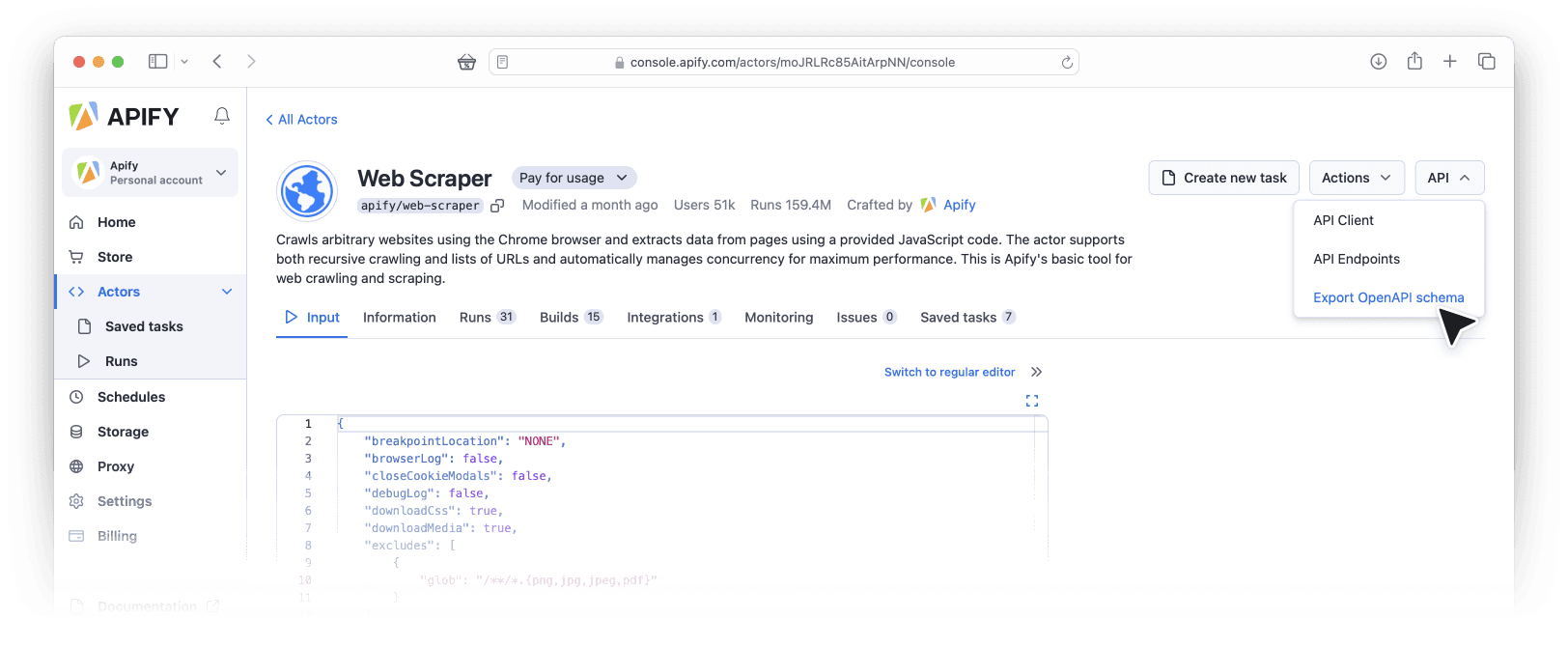
Apify Actors can now automatically generate the OpenAPI specification for their API, which makes it extremely easy to call them from your GPTs. This makes it easy to add any of the 1,500+ Actors published in Apify Store in your GPTs or link your newly built Actors for your use case.
Quick step-by-step guide
For a detailed example with screenshots, visit our blog post Add custom actions to your GPTs with Apify Actors
1. Go to Apify Store and pick an Actor
2. On the Actor detail page, select API ⇒ OpenAPI specification
3. Copy the JSON with OpenAPI specification into the clipboard
4. Go to ChatGPT ⇒ Explore page, click "Create a GPT"
5. Configure your GPT
6. Click the “Add actions” button, and paste the OpenAPI specification of the Actor from step 4 into the Schema field
7. Open a new browser window, go to Settings ⇒ Integrations in Apify Console, and copy your Apify API token
8. Edit your GPT's Authentication settings
9. Save and publish...
Read more on our web
0 Replies